I have been designing and building a few prototypes over the past few weeks. With Claude Code, of course.
Inevitably, I ended up exploring and landing on a new process, with a couple of new tools.
Goal
My goals were simple.
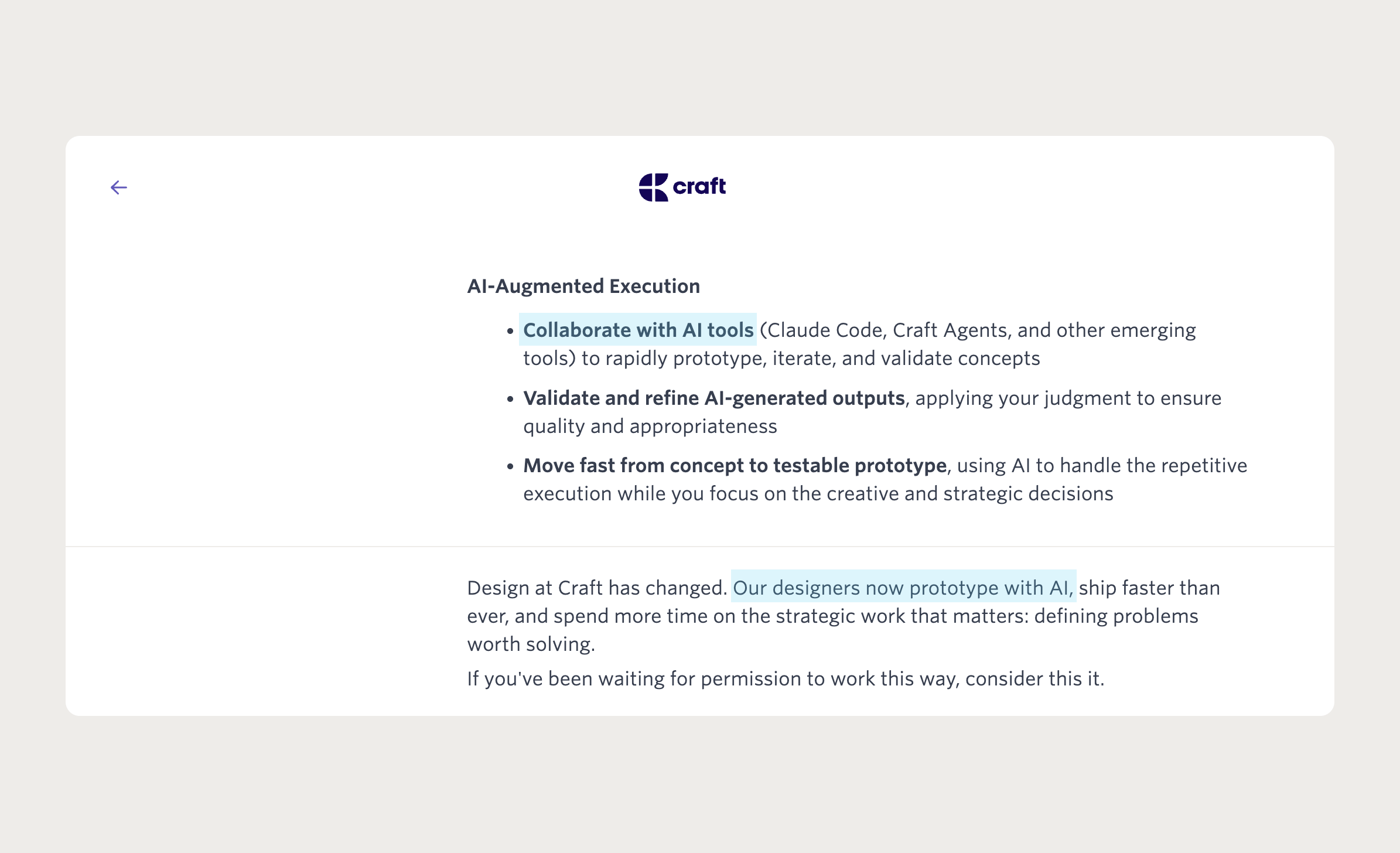
I need to rapidly up-skill with AI and prepare for interviews. Every company I have interacted with in the past few months has asked some version of the same question, ranging from how AI is changing my process to having an AI-built personal project as part of the application.
Craft’s job description for an AI-first Product Designer
I am having genuine fun building 3wta (what were we talking about). It’s a personal tool to help me unpack years of Instagram DM history with people I care about. I need it.
☝️ I was playing with empty search state yesterday.
You can check out my prototypes deployed on Vercel1 and some screen recordings on Twitter.
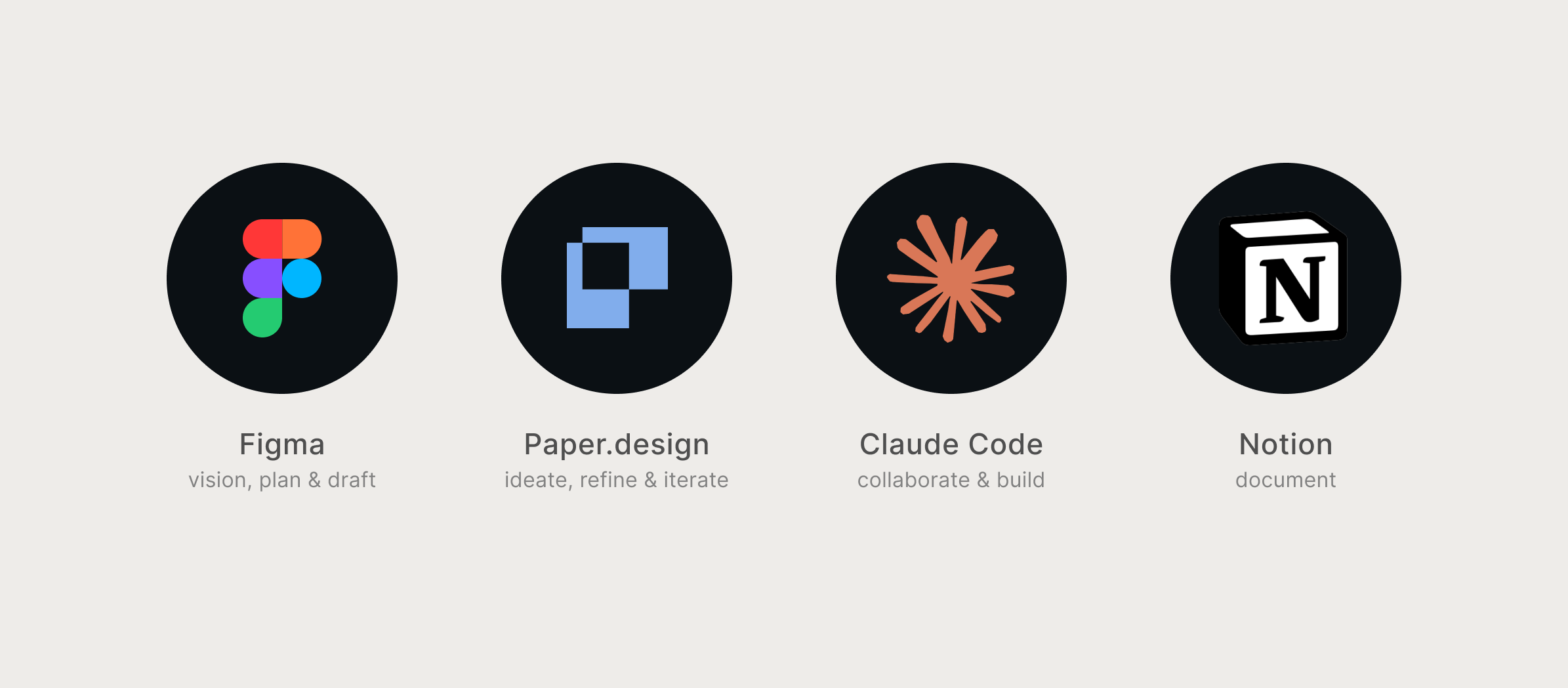
Paper works in HTML and CSS. Designing in Paper is designing in the same medium as the code. Not an approximation of it.
After establishing the base, Paper becomes where the roundtrip between design and building happens, and the design-to-engineering handover collapses.
Snapshot, Paper’s Chrome plugin, lets you copy any piece of UI from the web and paste it directly into the canvas — which means once the prototype is running, you can grab your own production screens and iterate on them in the same environment you hand back to Claude Code.
I jam on every idea with Claude Code: visioning, planning, executing, testing.
It reads context from Notion and Paper MCP, builds and iterates in React and TypeScript, and commits alongside documentation so the build log stays current.
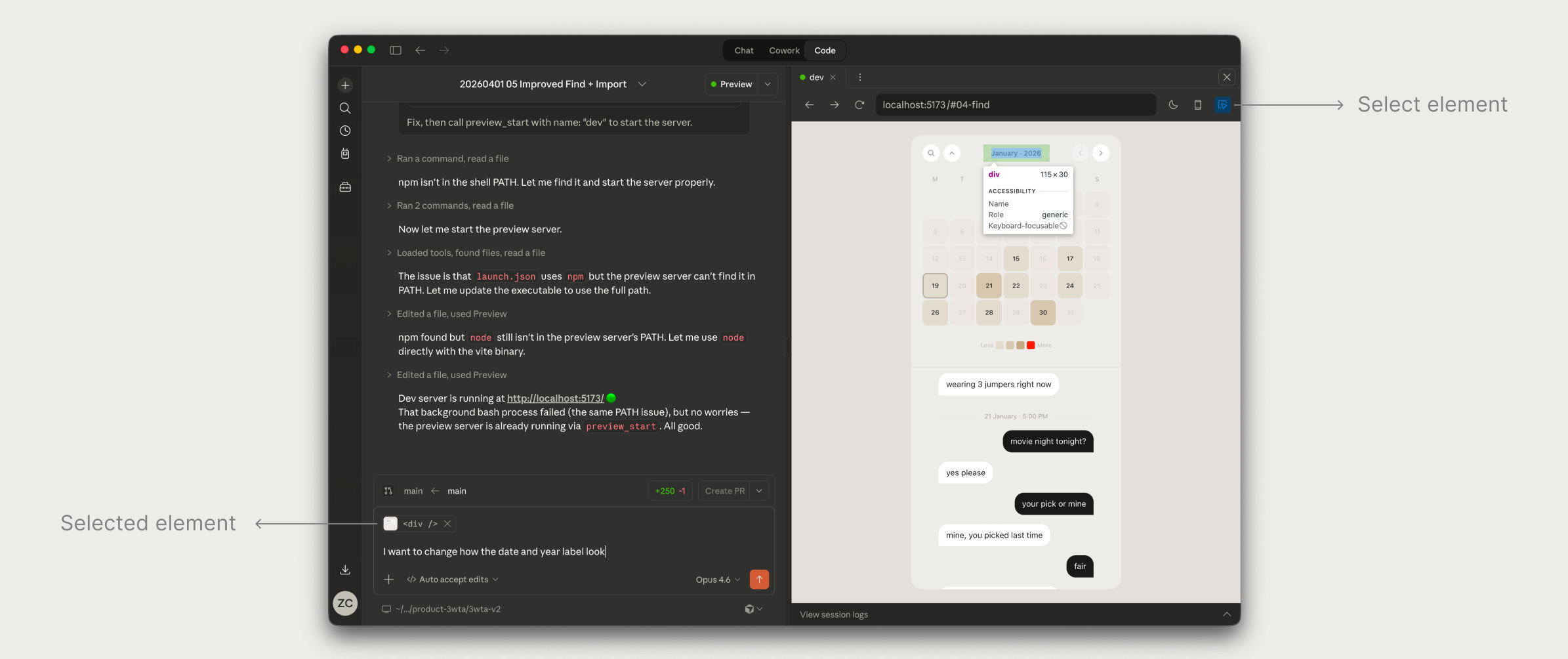
One feature that has meaningfully sped things up: Select Element, which lets me point directly at a component in the running app and tell Claude exactly where to focus and refine.
Every Claude Code session starts here: read the README, read the latest wrap-up, understand where we left off. Without this, context earned in one session disappears before the next one starts.
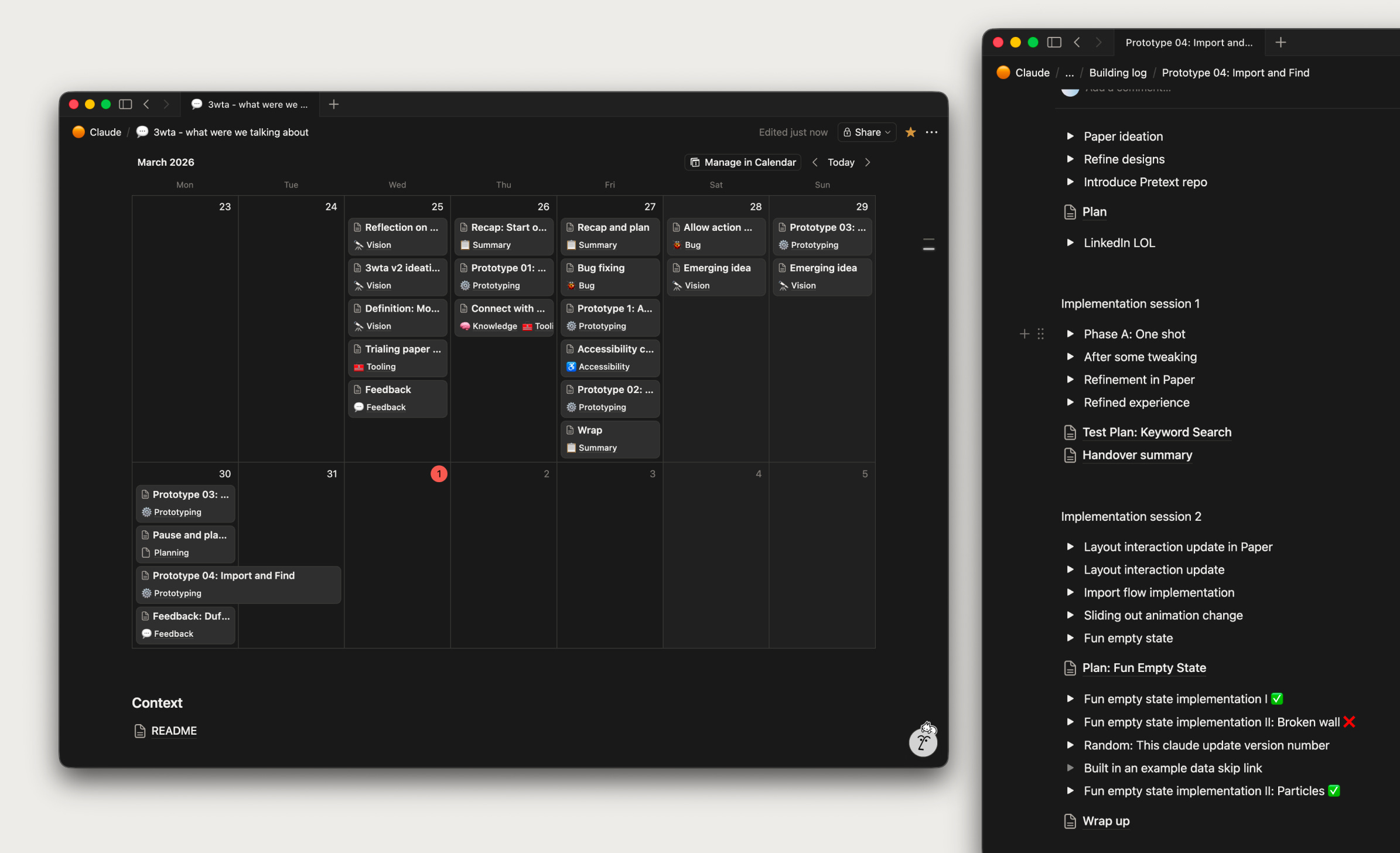
I rely on Notion’s calendar view in databases, the CMS aspect and version history.
Conveniently, it also becomes the source for this article.
My documentation in Notion
A new process
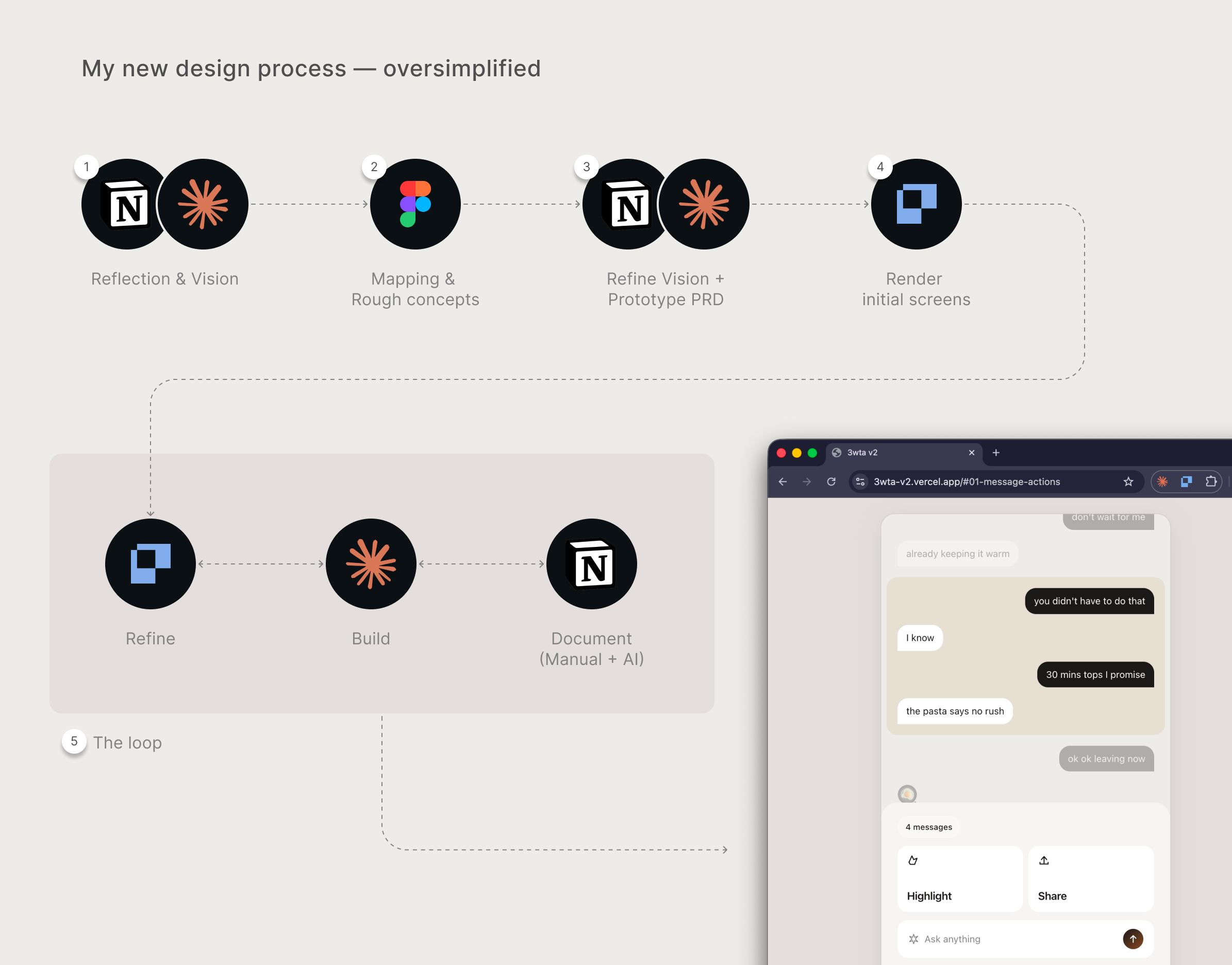
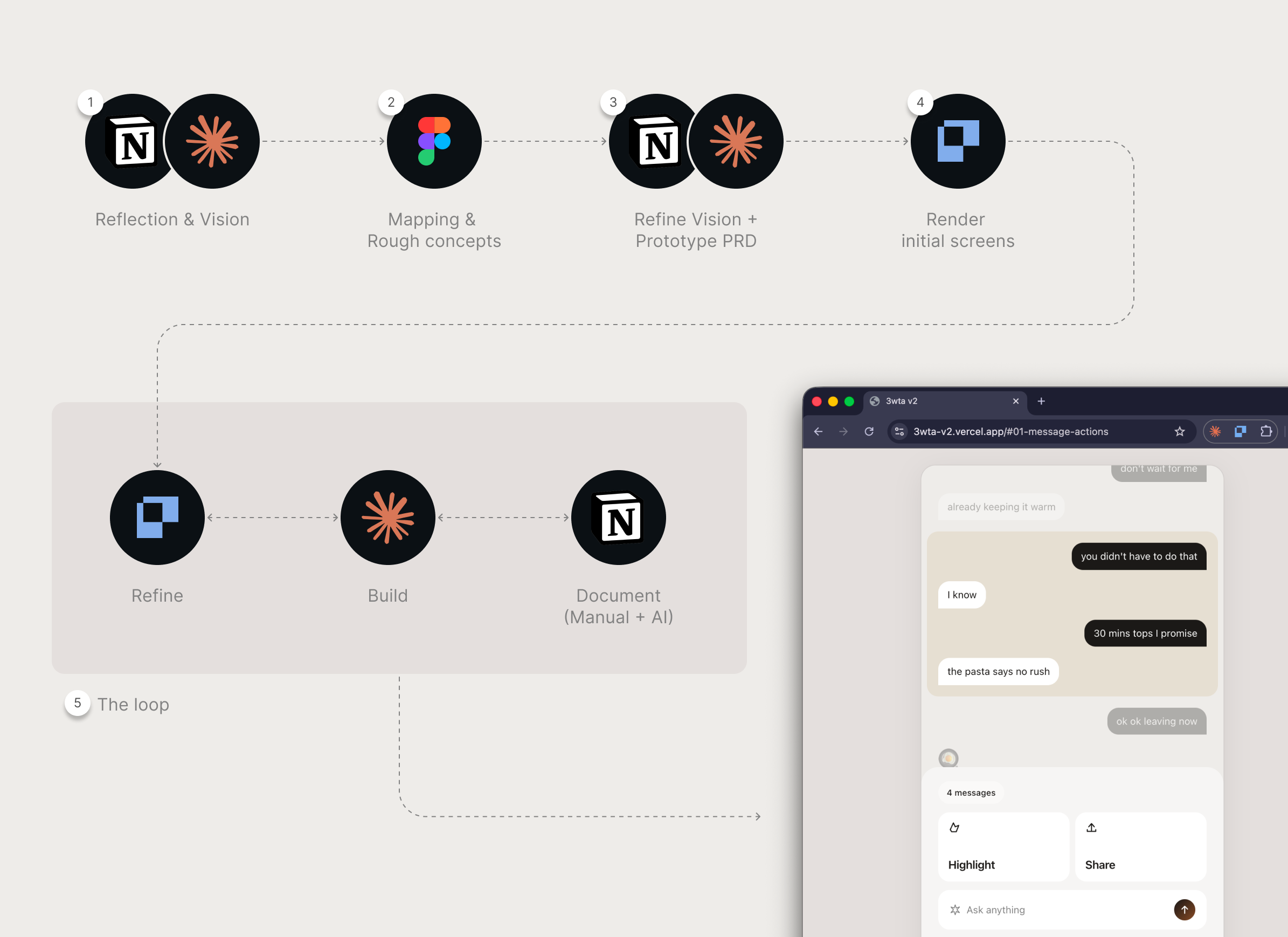
Here’s an oversimplified flow chart and some examples.
1/ Reflection & Vision
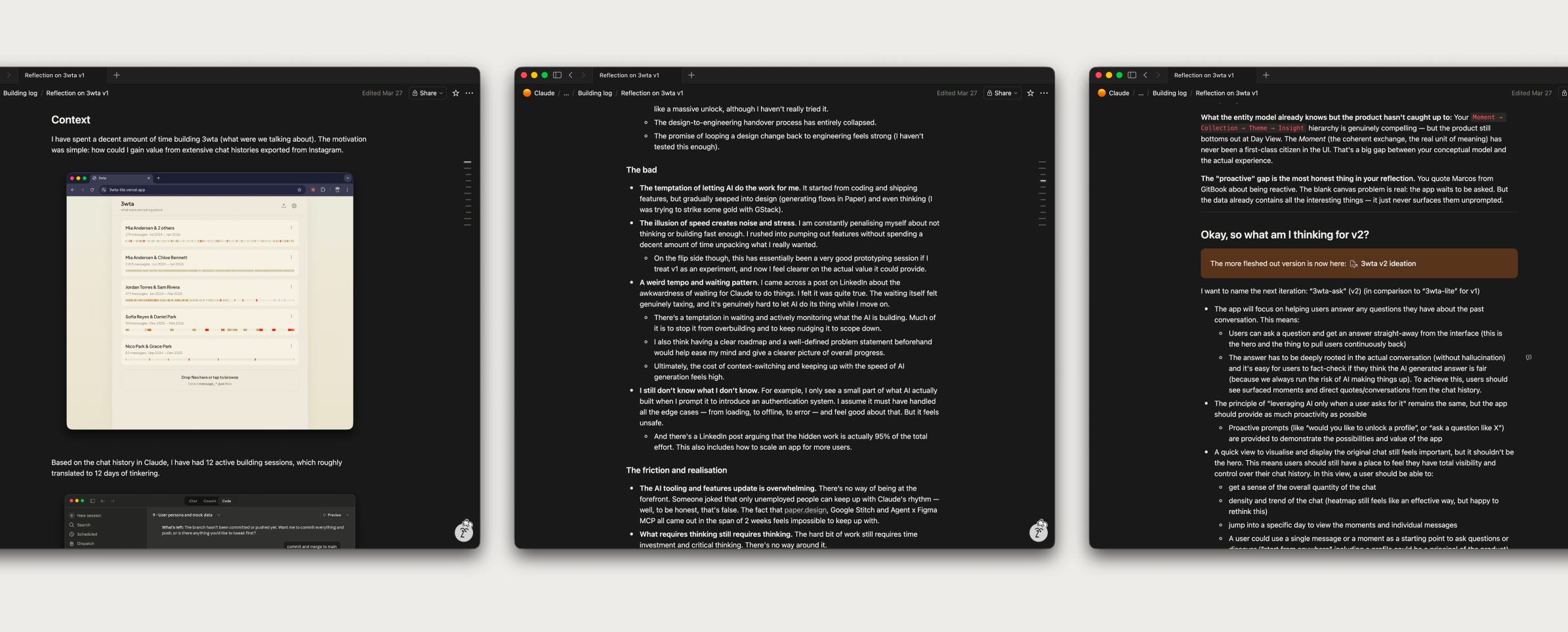
I spent a decent couple of hours in Notion writing down what I liked and didn’t like from the previous version of 3wta, and brain dumped a few larger concepts brewing in my mind.
My code of conduct with AI right now is whenever I am writing, I make sure a full draft has to be completed before AI can do a pass on grammar (English is not my first language) and suggest structural changes.
Notion: My reflection on 3wta v1 and thoughts for v2
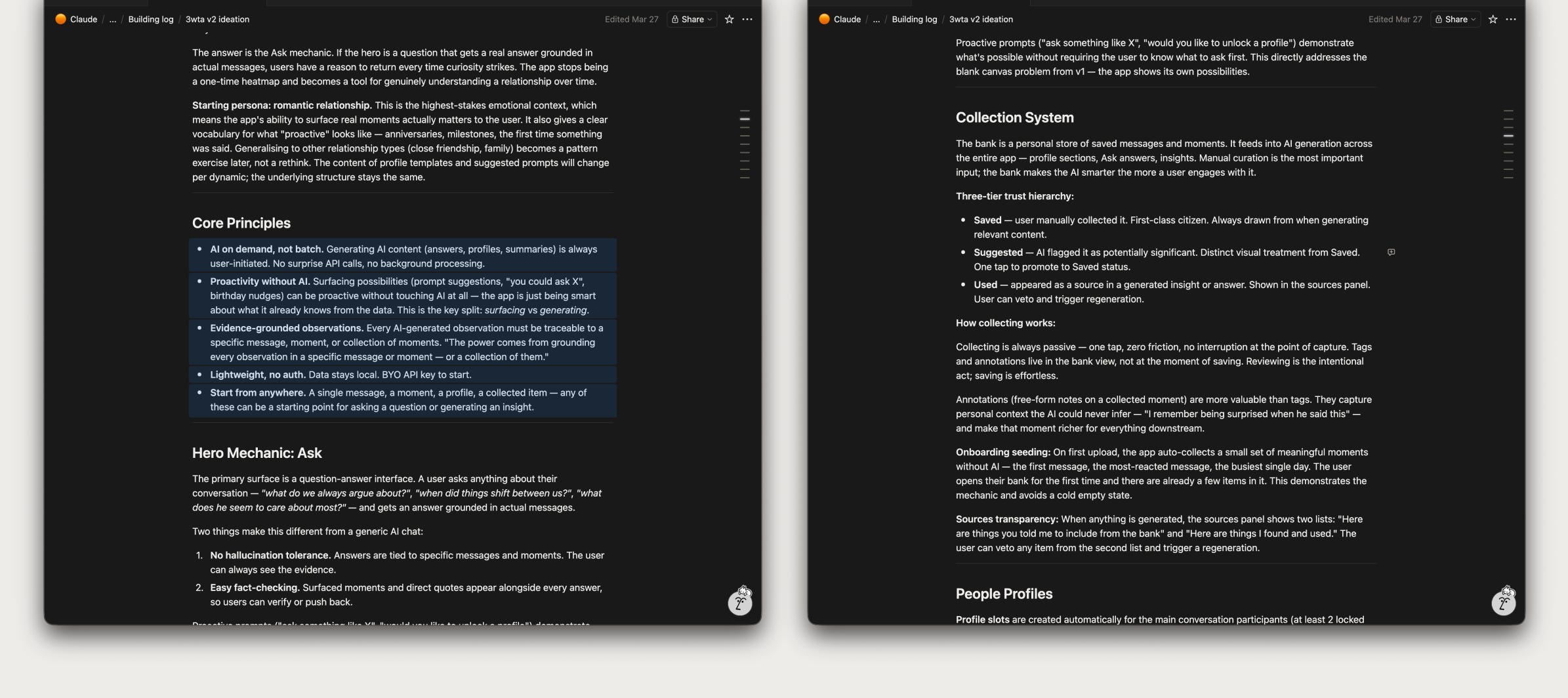
I then asked Claude to synthesise my reflection and create a brand new Vision doc. This becomes the basis for all the new prototypes I have been creating for 3wta.
Claude helped me tidy up my vision for v2 including some core principles
2/ Mapping & Rough concepts
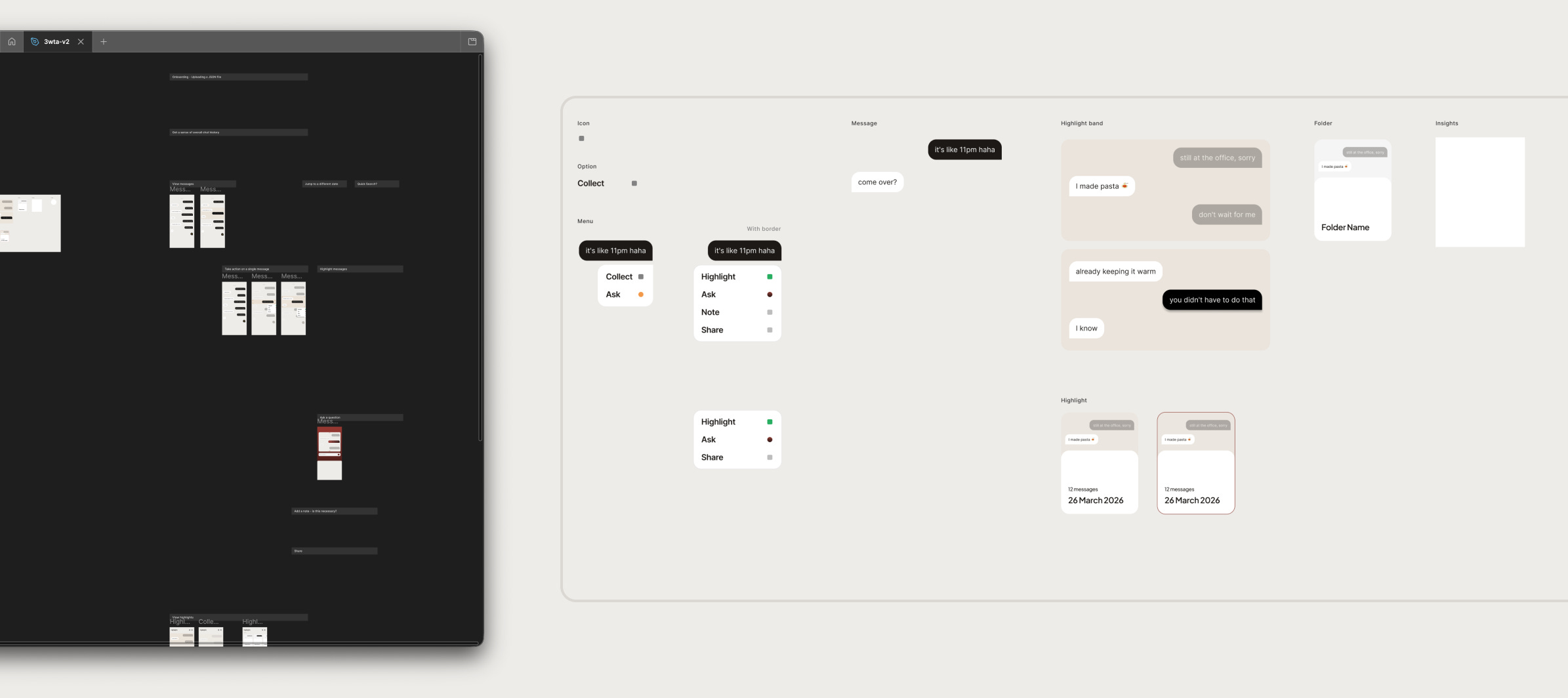
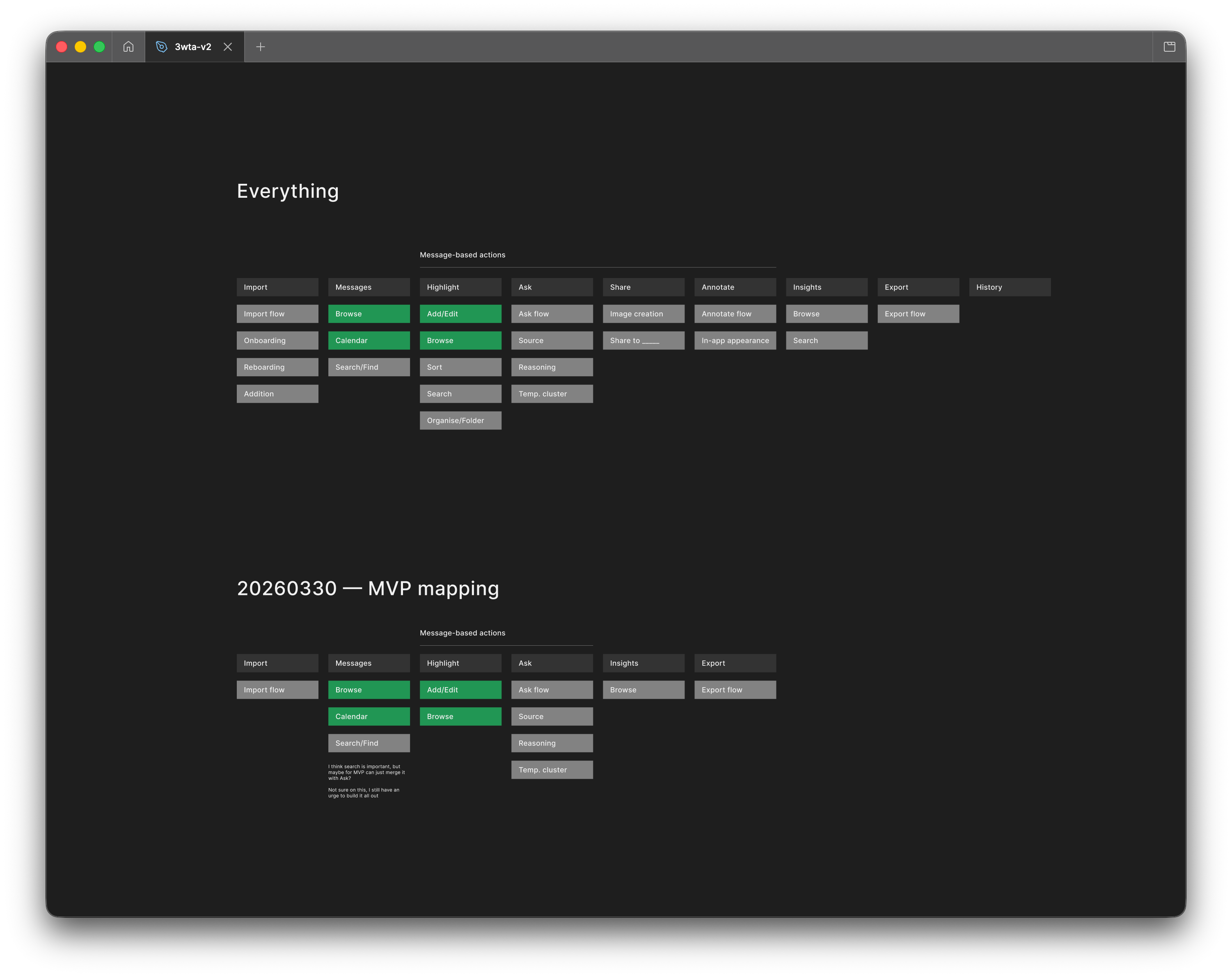
I felt the overall concept had way too many features. To help myself offload, I used Figma for a quick mapping of empty swim lane for different features and flows. And knowing myself, I just found a key flow I felt interested in unpacking and started sketching.
Although I am using Figma primarily as a whiteboard tool, features like components massively help speed up everything from formatting the page to putting together quick concepts (even though the screens are pretty low-fi).
Figma still feels like the perfect blank canvas to start something, and this is what tools like Paper fundamentally lack at the moment.
Figma: Feature mapping and lo-fi components to kick start the design process
Later on, after I had built a couple of prototypes (and self-indulged enough with over-the-top animation and cute interactions), I did find myself back inside Figma creating MVP maps to keep myself on track.
Figma: MVP Mapping
3/ Refine vision & Prototype PRD
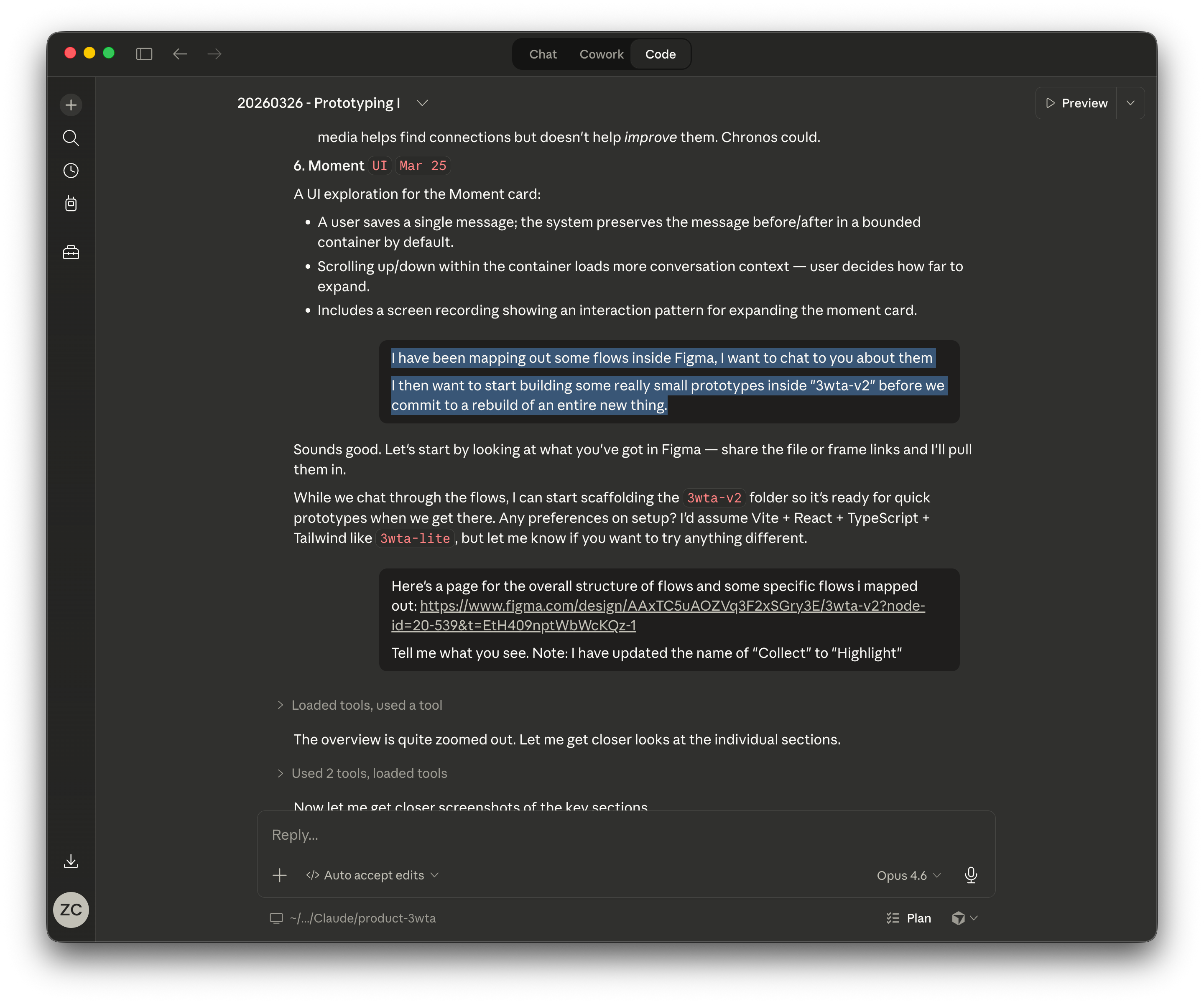
A simple step to introduce before directly starting implementation is to treat Claude Code as a true collaborator and show the flows and sketches inside Figma, regardless of how rough they are.
This helps enrich Claude’s understanding of the overall concept.
Showing Claude the flows and sketches I made in Figma
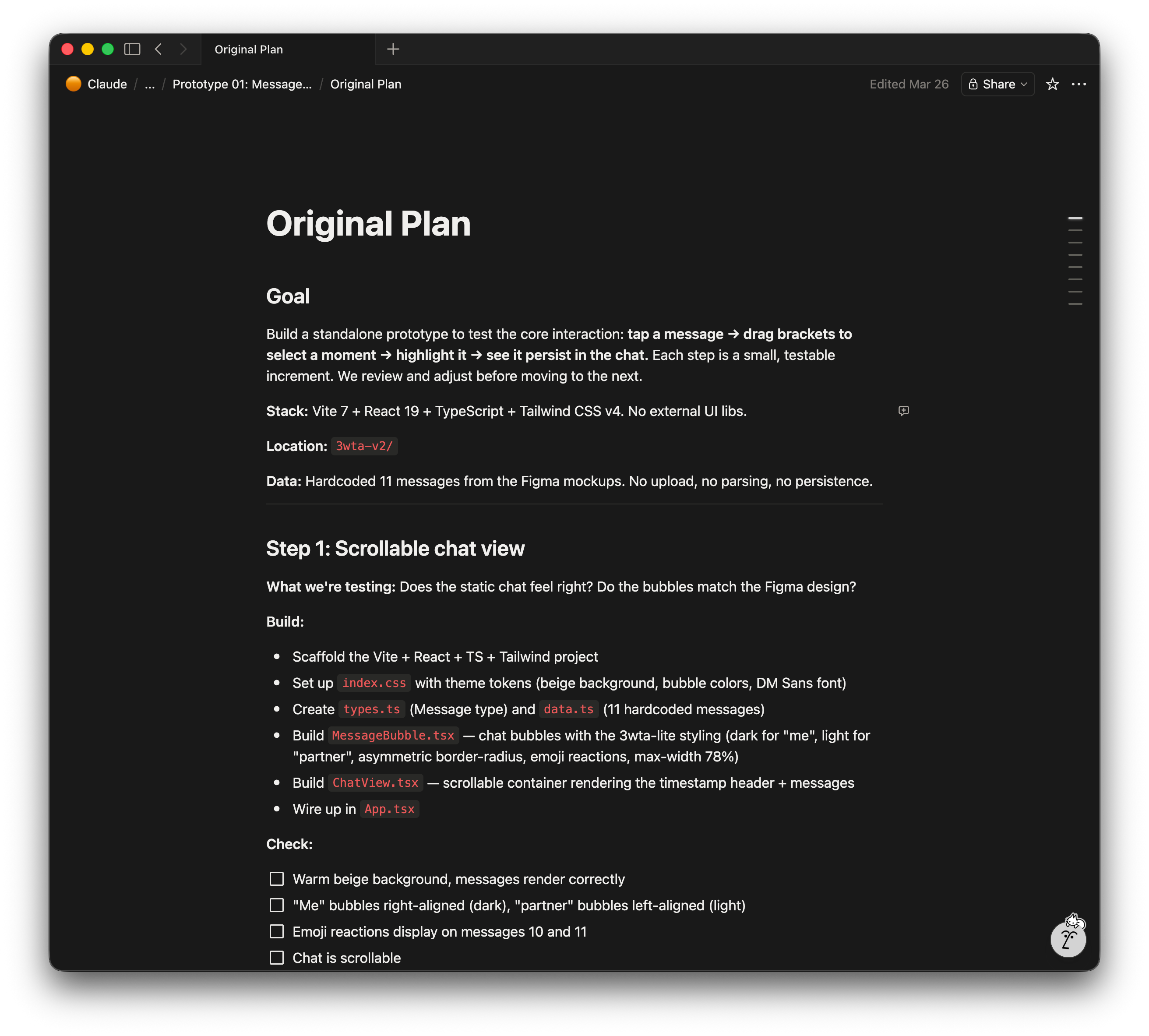
Then I asked Claude to generate the implementation plan for the first prototype purely focusing on a single interaction.
It’s called Original Plan because Claude inevitably updated the plan a couple more times before it actually started coding. I like to see the progression or changes made via each plan.
I also find the version history of Notion becomes handy if I don’t want to create multiple pages for the same plan.
4/ Render initial screens (in Paper)
This is a brand new step and perhaps one of the more exciting steps.
Regardless of which way we go, Claude will start designing and implementing a screen or front-end based on the prompts: drawing with HTML and CSS.
Why not ask it to draw in Paper first?
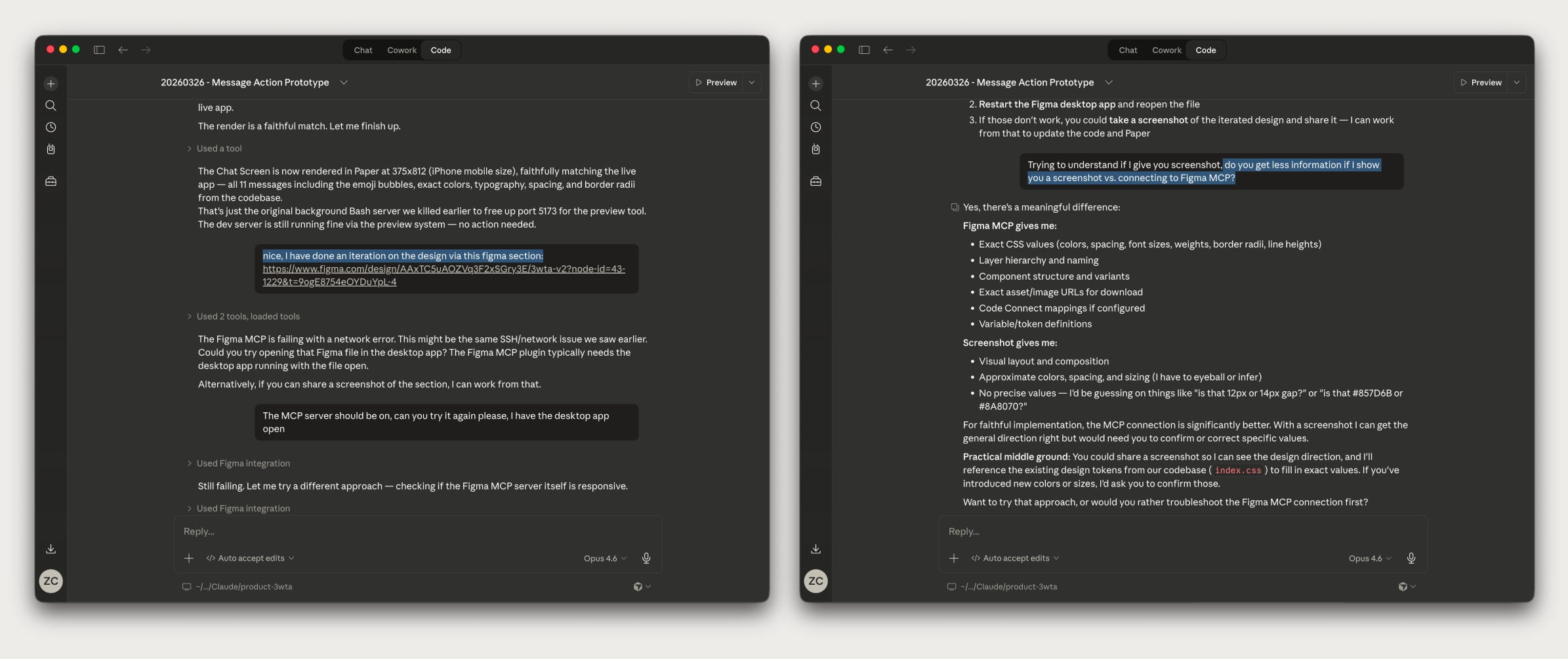
Ask Claude to study the rough sketches in Figma; understand what Claude gets from Figma MCP
You will see screens start popping up in Paper. It’s exciting and existential.
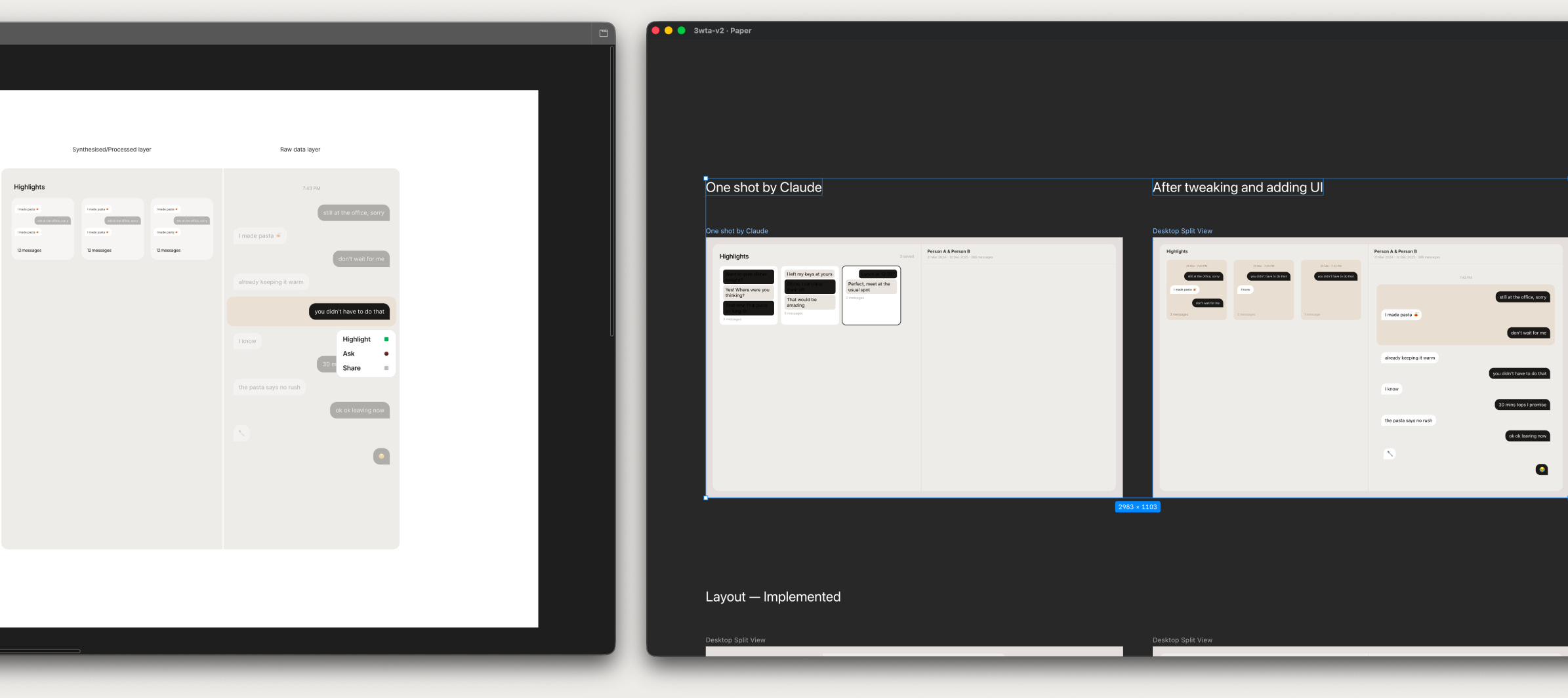
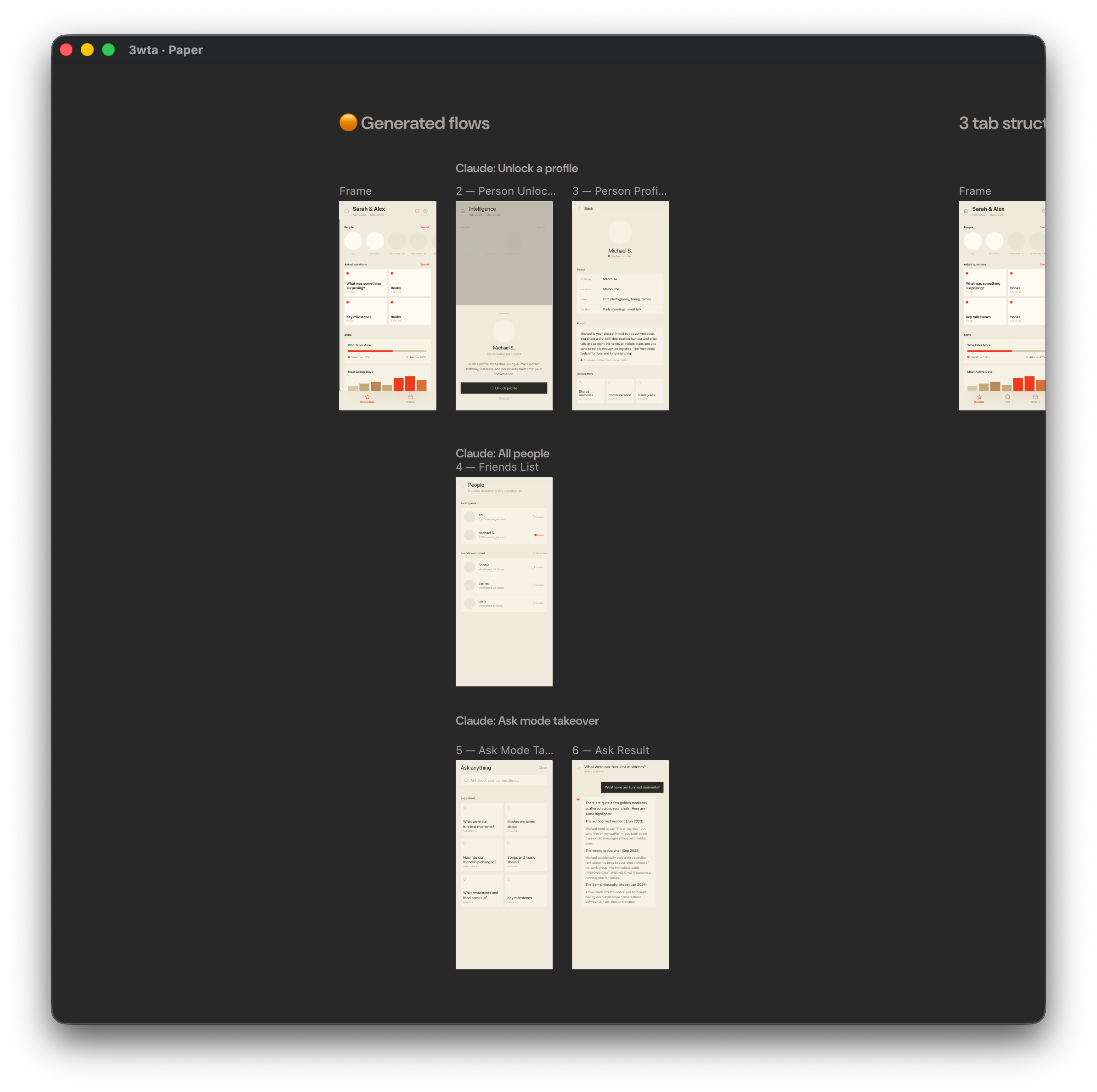
Claude reads the rough sketch in Figma and renders it in Paper, I then make refinements by tweaking and adding UI
Especially at the start of the project, one-shot generated screens from Claude into Paper would be quite rough. I would spend time on UI details like spacing, colour, border, etc as well as putting the layers into proper wrappers for a tidier HTML structure.
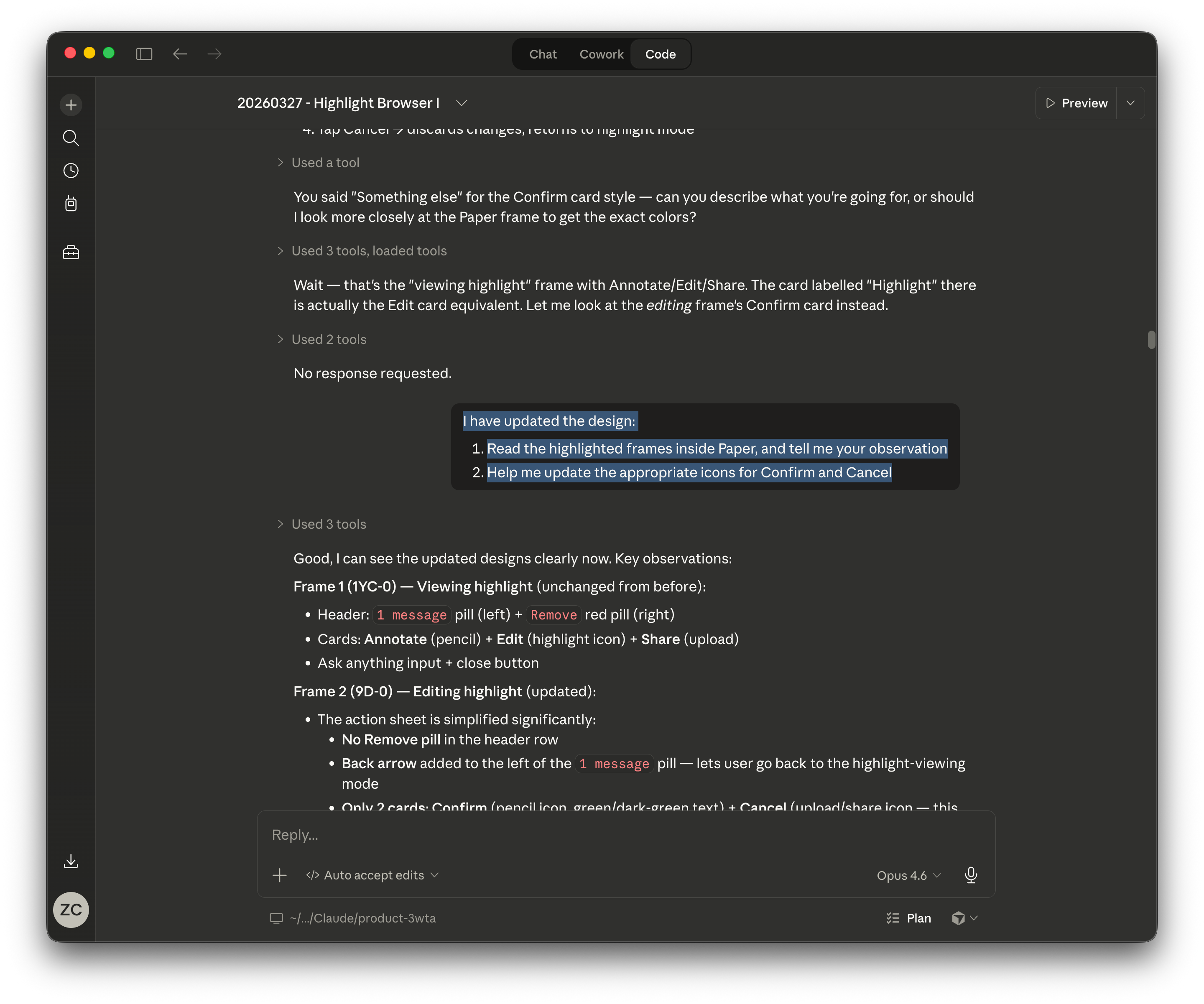
Ask Claude to study the updated and selected frames in Paper (the code → design → code roundtrip is completed)
With Claude’s help, all of the mock data and icons (.svg) used for 3wta were generated on the spot for both Paper when designing and the actual app when coding.
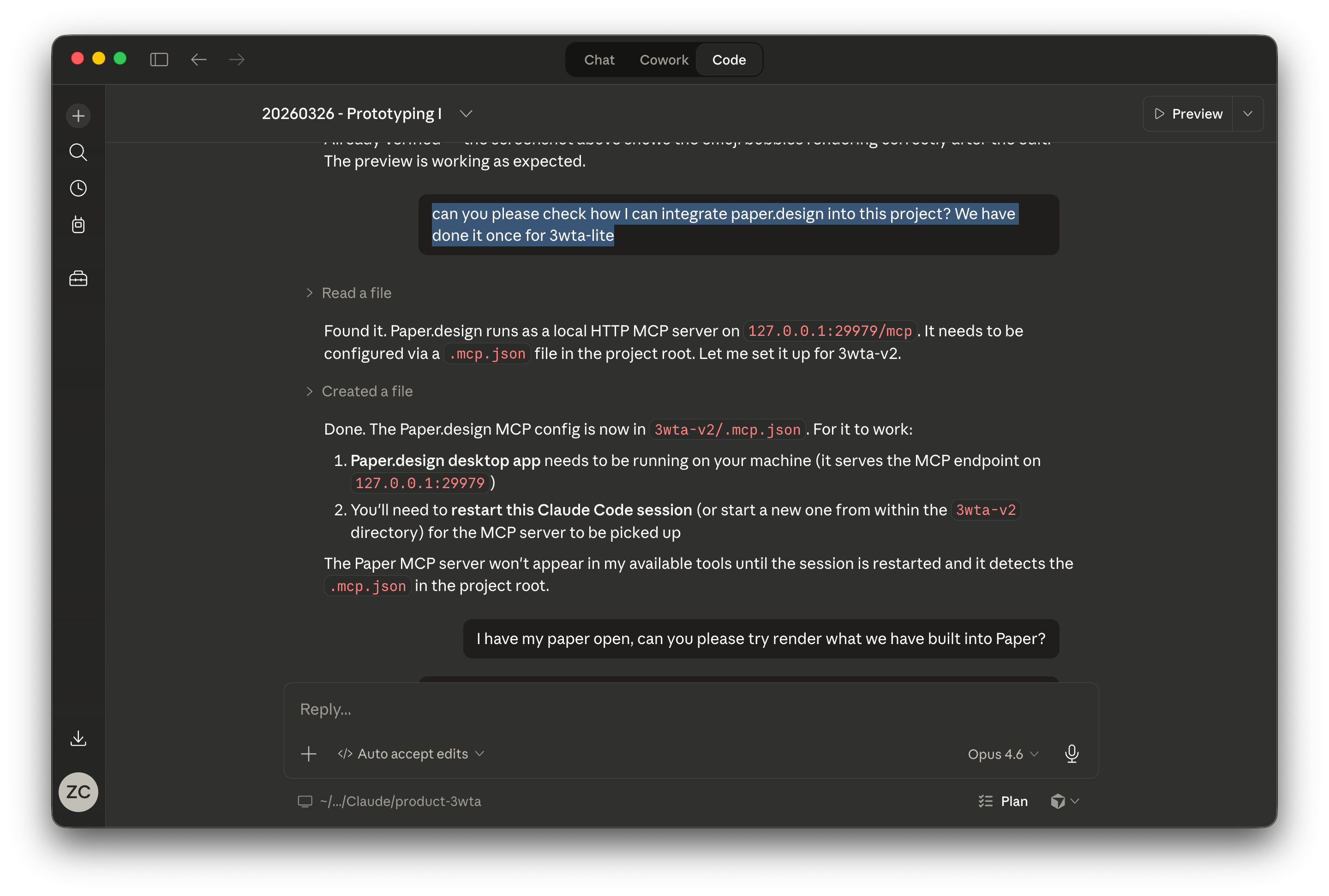
You can also directly ask Claude Code to add and connect to Paper’s MCP in your app’s directory as long as you have installed Paper’s desktop app. However, you might need to run it in Claude Code via your terminal for the first time.
Instruct Claude to connect to Paper MCP
By this point, you should have your initial prototype up and running. And now you are eager to start fixing everything that’s bugging you on the screen.
5/ The loop (Paper → Claude → Notion)
The 2 things I found extremely helpful in communicating what you want to iterate on are:
Select Elements in Claude Code’s preview browser
It’s like inspect element in dev tools but directly usable as a reference for conversations with Claude.
Claude: Select element in preview browser
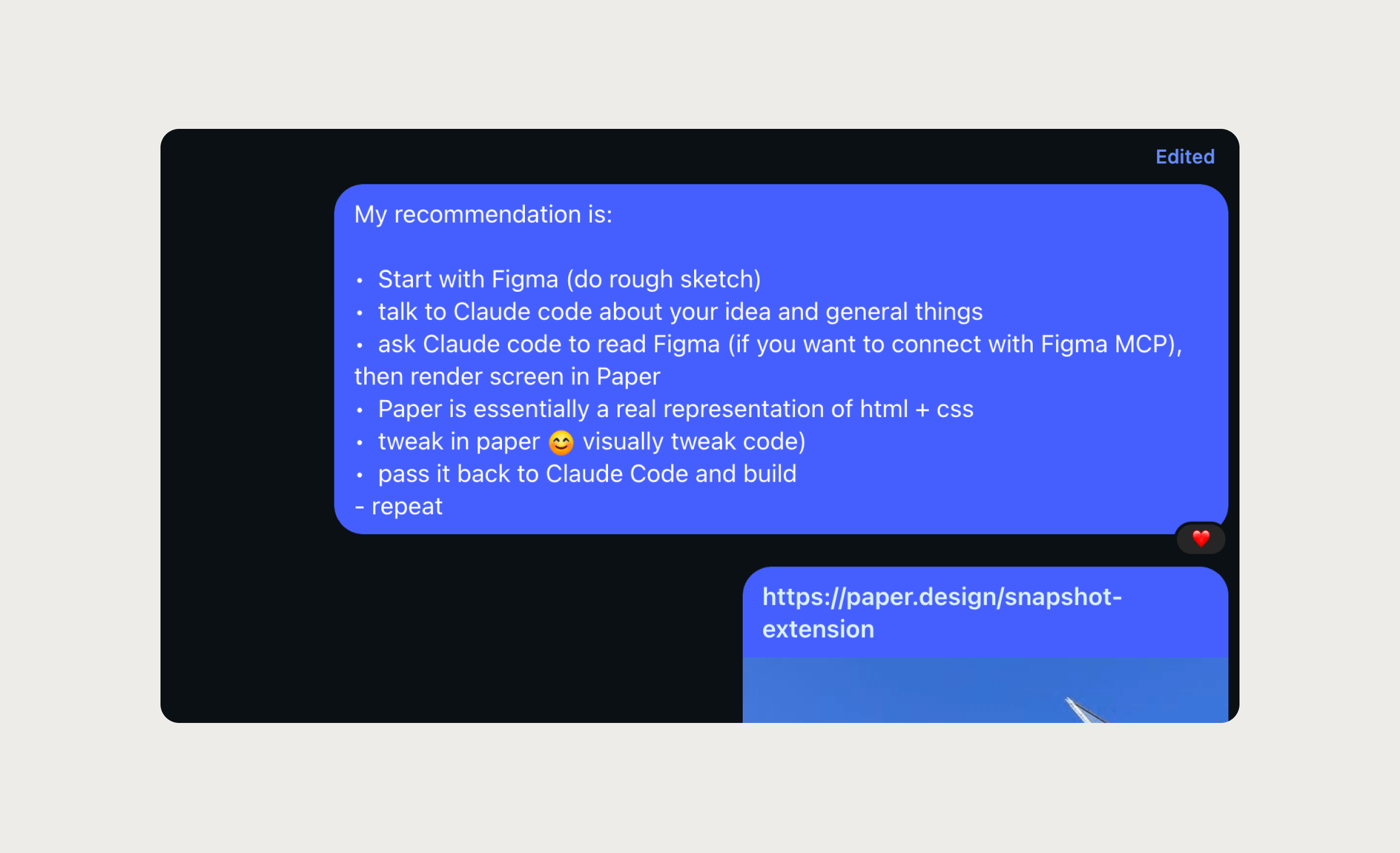
Snapshot, a Chrome plugin released by Paper alongside their main app
You can now copy any UI elements (or the entire page) from your project or any websites you like and paste them into Paper. It’s dark magic.
You can also then ask Claude to generate a range of design iterations based on the component you copied into Paper, or even a full flow.
Paper: A generate flow for 3wta v1
Iterate in Paper, build with Claude, document in Notion.
And repeat.
☝️ Prototype 03: A calendar panel for browsing and navigating chat history spanning across several months
We are witnessing the collapse of the design-to-engineering handover, in real time.
Wrap up: Why write this
Sharing my new process with a designer friend
I debated whether to document this. The process might look completely different next week. Google Stitch is on my list of things to try. Claude Code is moving fast. MCPs are improving.
The whole stack could shift overnight.
But my policy is simple: if three designer friends ask about it this week, I should write it down.
So here it is.
Thank you for reading. You can subscribe to get a notification for when the next piece lands.